
A form submission may contain incomplete details or a contact already used on another customer record. Before scheduling service, the team needs to understand the request and confirm whom it belongs to. ProFieldX Reconciliation brings those reviews together. Here, reconciliation means reviewing requests and customer links. The example and screenshots use fictional demonstration data. The captured interface is in Brazilian Portuguese.
Separate request review from customer identification
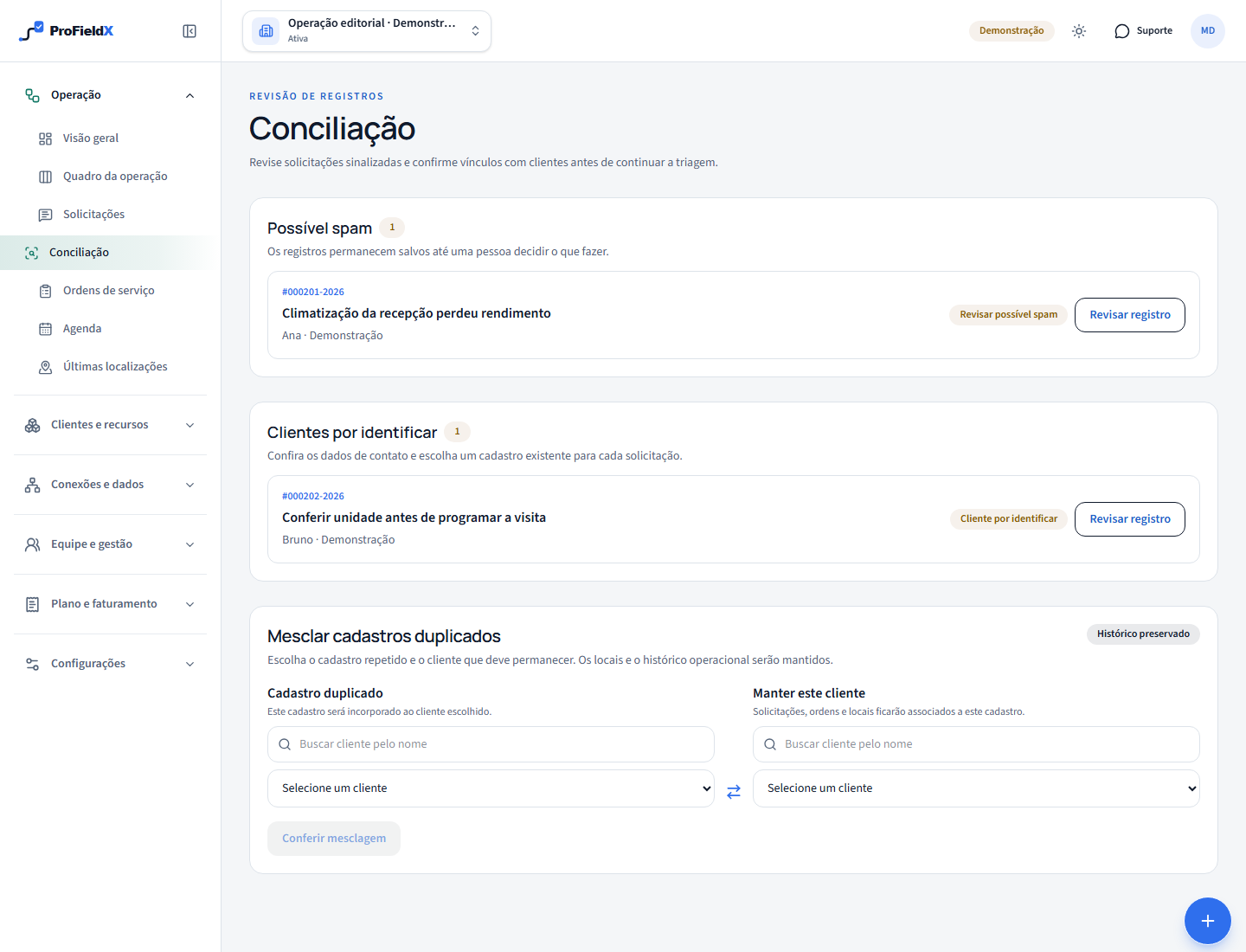
Open Operations → Reconciliation with authorized access. Possible spam shows submissions awaiting review; Customers to identify lists requests needing a confirmed customer link. One request can require both decisions. A flag calls for content review; it does not establish fraud or identity.
In our fictional example, Ana reports reduced HVAC performance using the property operation's shared email address. Another request mentions the North site with the same contact. The team must confirm the service and site before choosing the customer record. A name or email alone does not resolve the whole identification task.
Read the submission before releasing it
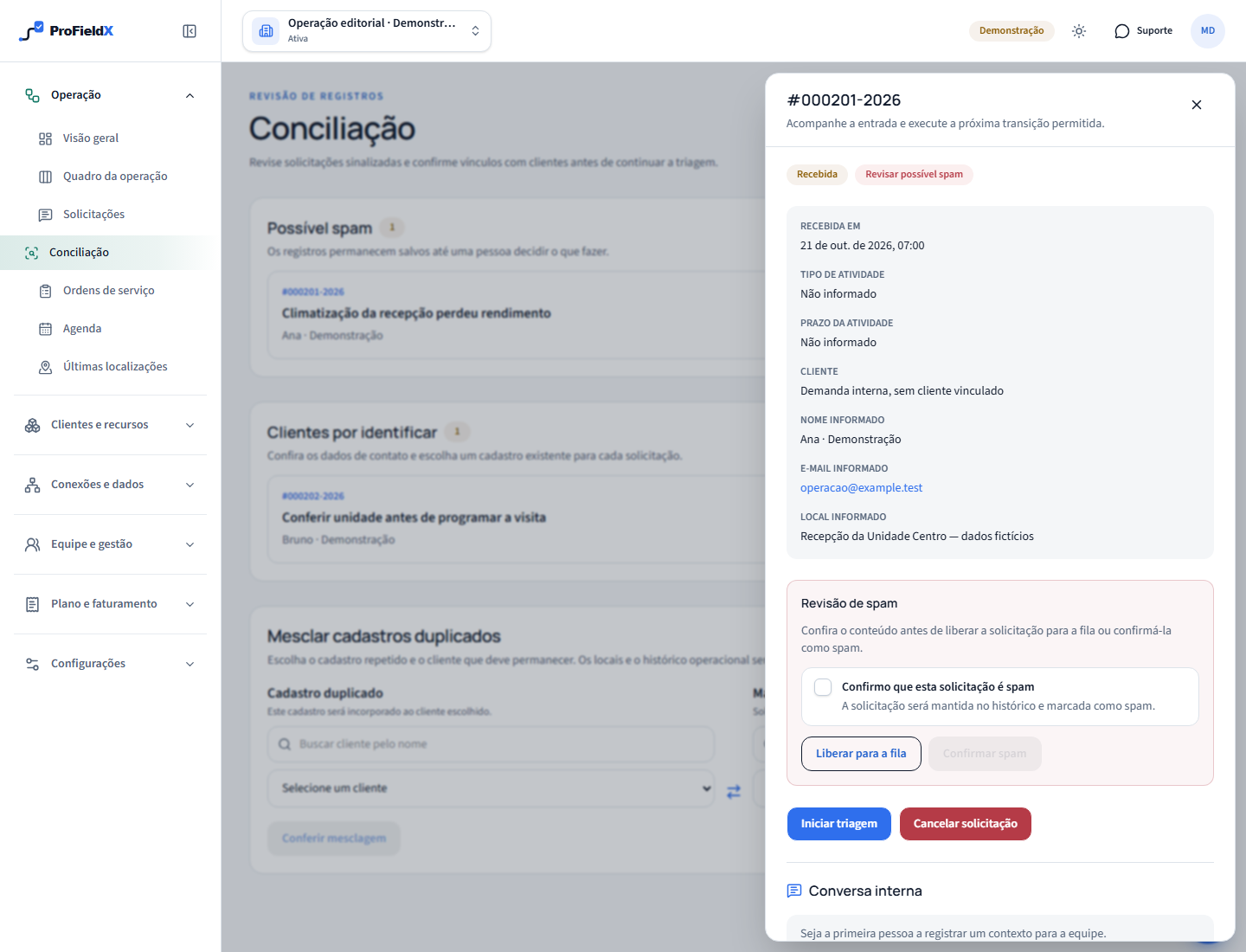
Choose Review record on the flagged request. Read the summary, supplied name, contact and location, together with available form answers. Compare the context with the services your organization expects. If confirmation is missing, seek it through the team's established working channel before deciding.
For a legitimate request, choose Release to queue. If review confirms spam, select the required confirmation and choose Confirm spam. The record remains in history. Releasing resolves the flag; the team still needs to review the customer and continue triage. Do not use a spam decision to close a valid request that still needs clarification.
Find and confirm the customer's record
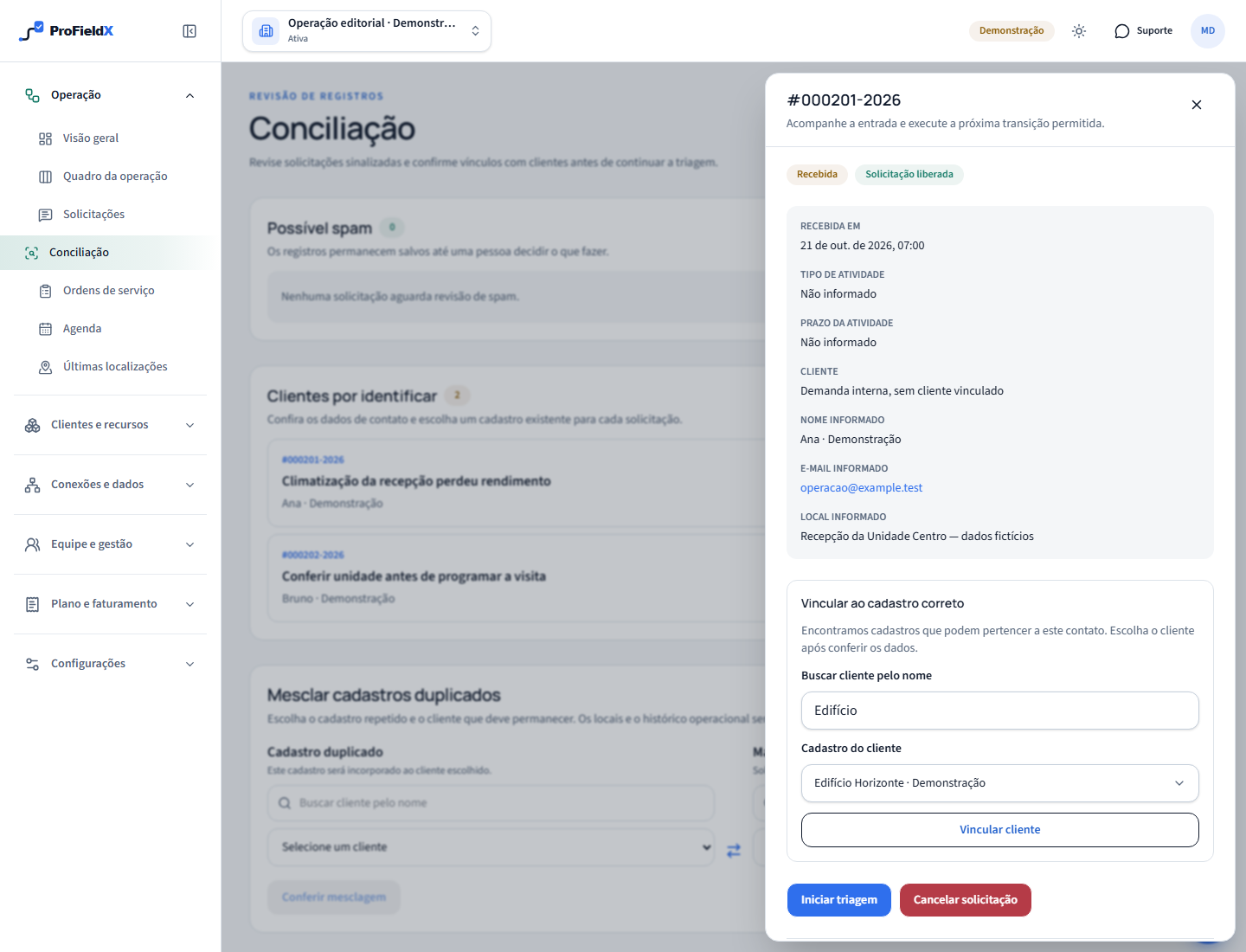
When customer identification appears in the details, search for an existing record. Check the person or business receiving service against the supplied context, select the customer and confirm with Link customer. A similar contact is a reason to investigate; the team still makes the choice.
The shared email in our example may serve multiple sites. Confirm whether they are locations belonging to one customer or separate businesses before linking. After associating the customer, review the service location when planning the work order and visit. An address typed into a request does not replace that check. If you cannot find the right customer, investigate the available records before picking one simply to proceed.
Resume triage with the necessary information
Once the submission is reviewed and the link checked, follow the triage actions available in its details. Starting triage, requesting information, approving and converting are separate service steps. Approval depends on the team's assessment, and scheduling follows in the visit workflow.
For example, knowing who requested an HVAC assessment does not confirm access to the room at the proposed time. Record the clarification needed before arranging the visit. The internal conversation can retain context for colleagues; contact the requester through the channel your business agreed to use. An internal note does not send a message to the customer.
Know when to investigate a duplicate
Linking a request to a customer does not combine two customer records. If your search reveals records that appear to represent the same business, compare them before using Merge duplicate records. Distinct businesses sharing a contact need to remain separate. For multiple sites belonging to one customer, review the location structure before changing customer identity.
The Salesforce educational resource in the references distinguishes accidental duplicates from records that should remain separate. That distinction helps frame the decision. The related merge guide explains how to choose the retained customer, inspect affected relationships and address blocking differences in ProFieldX.
Finish by checking the saved result
After saving, check the details for the expected spam decision or customer link. Return to the queue and review remaining work. A released submission can still need identification; leaving one section does not mean the entire request is ready for execution.
If an operation fails or the record changes during review, read the message and refresh the context before trying again. Do not choose a different customer to work around an error. When handing work to someone else, explain which decision is complete and which information is still missing, so the next review stays focused.
Sources
- Identify and Manage Duplicate and Disconnected RecordsSalesforce Trailhead — educational material on duplicates and false positives
- How to merge duplicate customers in ProFieldXProFieldX Editorial — merge preview and confirmation
These sources provide context for this guide. Applicable requirements depend on the activity, location, and current rules; consult the responsible authorities and qualified professionals.